32 private links




At least a dozen U.S. National Security Agency employees have been caught using secret government surveillance tools to spy on the emails or phone calls of their current or former spouses and lovers in the past decade, according to the intelligence agency's internal watchdog...

find /path/to/base/dir -type d -print0 | xargs -0 chmod 755
find /path/to/base/dir -type f -print0 | xargs -0 chmod 644
find . -maxdepth 2 -name '*.py' -type f | xargs -0 chmod +x
=== REPLACE ALL INSTANCES ON OSX ===
LC_ALL=C find ./ -type f -name "*.py" -exec sed -i '.bak' -e 's/trade_fee_percent/curve_fee_mult/g' {} \;
== MULTIPLE FILETYPES
find ./ -type f ( -iname *.jpg -o -iname *.png )
make group hack and share folder with it
sudo groupadd hack
sudo chgrp -R hack /data/trueblocks
sudo chmod 770 /data/trueblocks
sudo chmod +s /data/trueblocks
create new user and add it to group hack
sudo useradd jacob --home-dir /home/jacob --shell /bin/zsh --no-create-home
sudo cp -r /home/alex/ /home/alex/
sudo chown -vR jacob:jacob /home/jacob
sudo usermod -aG hack alex
shared permissions
sudo chown root:hack /code
sudo chmod 2750 /code (2770 for executable)
sudo chmod go-rwx /code/*
sudo chmod g+rX /code/zsh-autosuggestions /code/zsh-syntax-highlighting
sudo chown -R :hack /code/zsh-autosuggestions /code/zsh-syntax-highlighting
sudo chmod -R g+s /code/zsh-autosuggestions /code/zsh-syntax-highlighting
sudo setfacl -R -m g:hack:rwx /code/zsh-autosuggestions /code/zsh-syntax-highlighting
sudo setfacl -R -d -m g:hack:rwx /code/zsh-autosuggestions /code/zsh-syntax-highlighting

read -p "Enter package name: " packageName
sudo apt-mark auto $(apt-cache showsrc $packageName | sed -e '/Build-Depends/!d;s/Build-Depends: |,|([^)]),|[[^]]]//g' | sed -E 's/|//g; s/<.>//g')
sudo apt-mark manual build-essential fakeroot devscripts
sudo apt autoremove --purge
sudo mkdir -p /mnt/chrootdir
sudo mount /dev/nvme0n1p4 /mnt/chrootdir
for dir in proc dev sys etc bin sbin var usr lib lib64 tmp; do
sudo mkdir -p /mnt/chrootdir/$dir
sudo mount --bind /$dir /mnt/chrootdir/$dir
done
sudo mount -t devpts /dev/pts /mnt/chrootdir/dev/pts
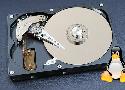
This tutorial shows you how to fix the can not read superblock error on Linux for ext4 and Btrfs file system.
cp ~/.mozilla/native-messaging-hosts/org.keepassxc.keepassxc_browser.json ~/.librewolf/native-messaging-hosts
Prerequisites to run X applications on OS-X:
You need to have XQuartz installed on the client side (check that it's working for your account by running XQuarts and starting a local terminal)
You need to allow XForwarding on your server. Set the X11Forwarding option (most commonly found in /etc/ssh/sshd_config): X11Forwarding yes (don't forget to restart the ssh server after editing the sshd_config file).
Your sshd server should be running on the server side.
Your firewall (on both ends) should allow for traffic over port 22.
If you want to disable that message for all ssh users, edit /etc/pam.d/sshd and comment out the lines
session optional pam_motd.so motd=/run/motd.dynamic noupdate
session optional pam_motd.so # [1]
there are a plethora of bugs around RAID5/6 that makes it straight up unsuitable
btrfs device add /dev/sdb /mnt
add any necessary path (e.g., /app/pyenv/shims) to secure_path, and it will be passed to sudo commands.